

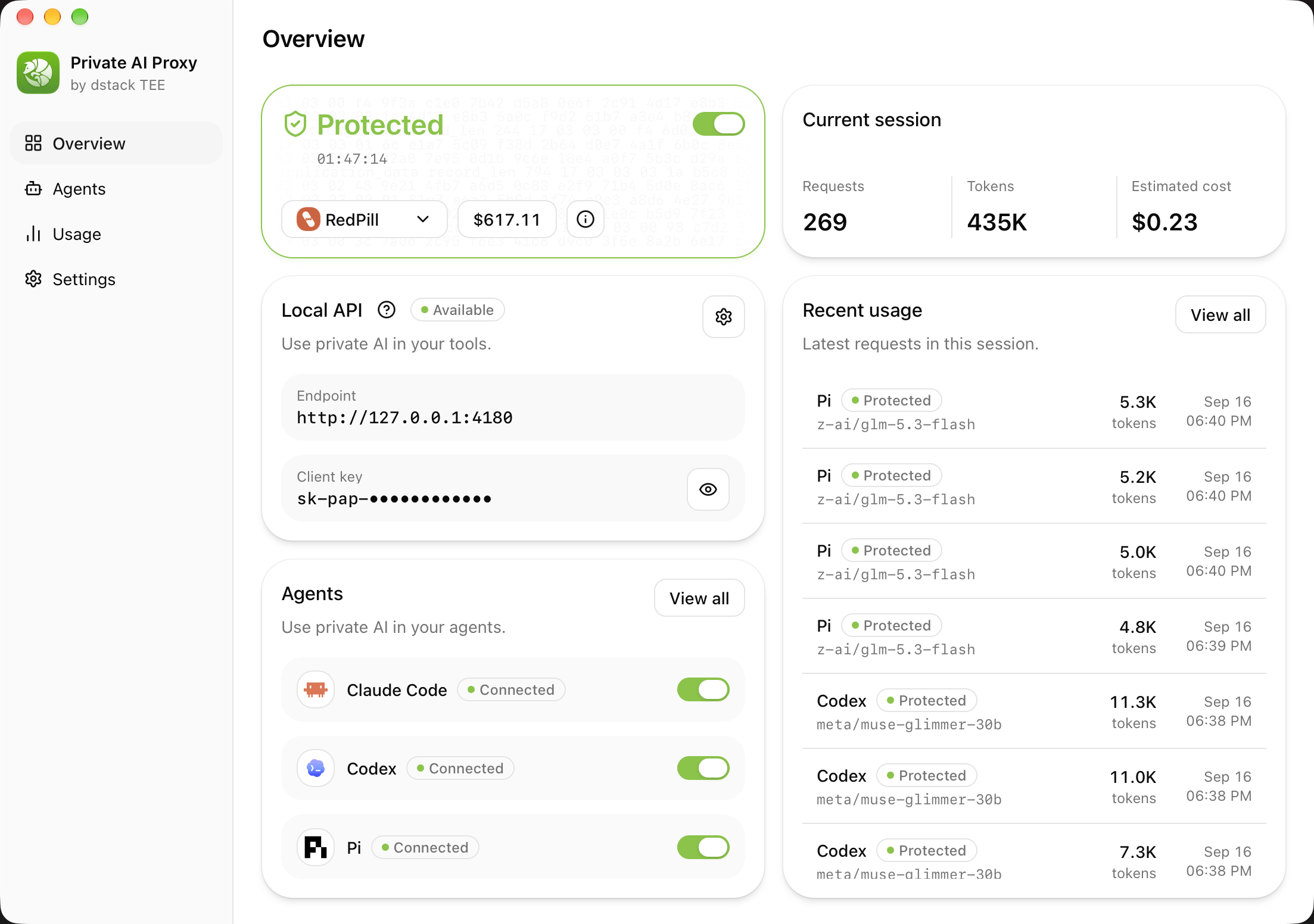
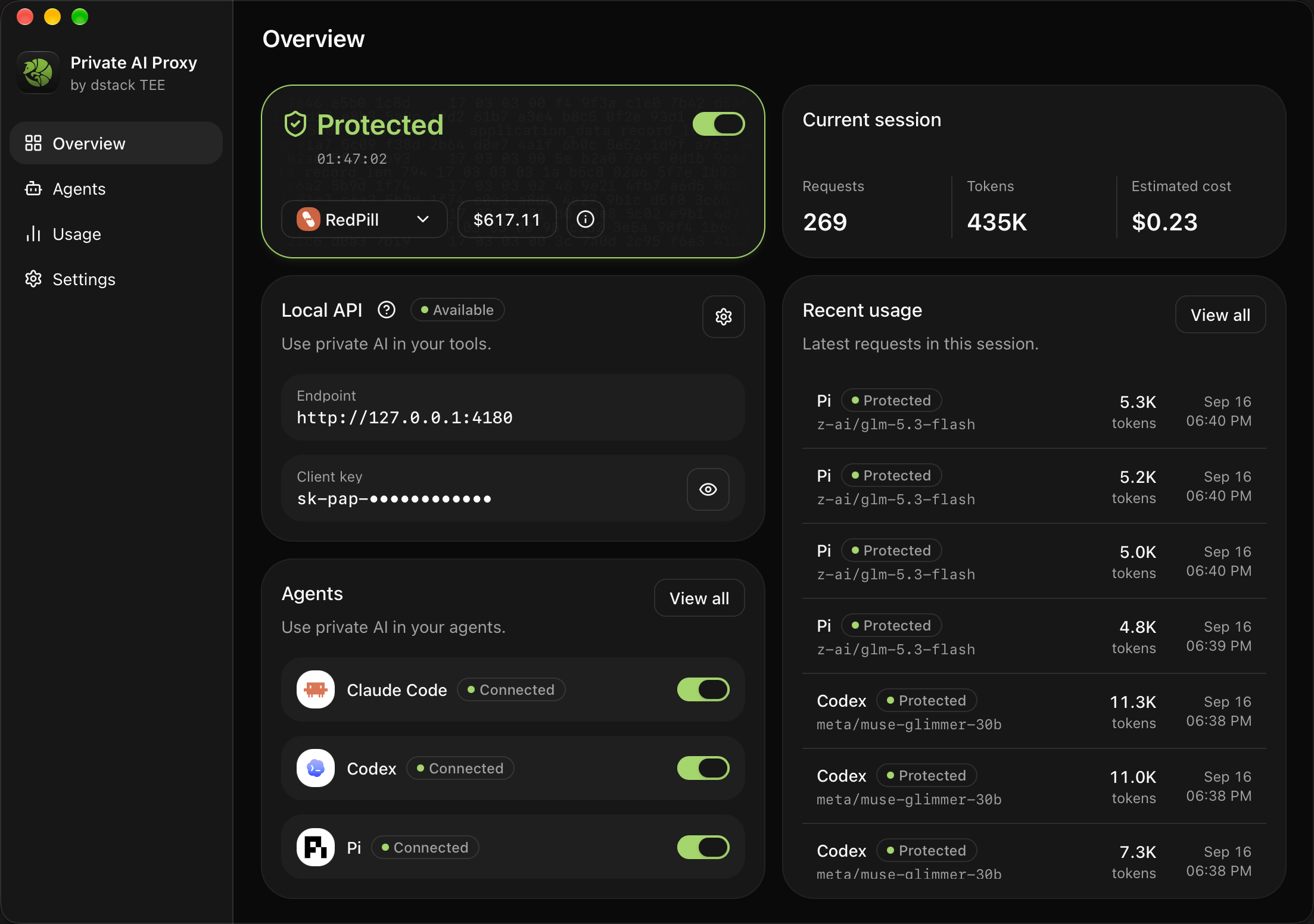
Overview: Protected, the current session, the Local API, and connected agents
Install
Desktop app
Start building detects your platform and downloads the current stable build.- Direct download
- Homebrew (macOS)
CLI
The official scripts are the recommended installation method. They detect the operating system and CPU, verify the release checksum, and installpap, private-ai-proxy, and aci.
- macOS / Linux
- Windows
- Homebrew
- npm
brew install private-ai-proxy or
brew upgrade private-ai-proxy, trust the whole tap first:
Profiles and sign-in
A profile is one RedPill workspace plus its credential. Add one with either:- Account login: the app shows a device code and opens your browser. Approve the code, then pick a workspace in the app to receive an inference key for that workspace. The flow uses device authorization (RFC 8628), with no local callback, client secret, or refresh token; the sign-in token stays in memory. If saving fails, Retry reuses the approval.
- API key: Get API key opens the dashboard; paste the key.
credentials.toml file in the app’s settings
directory. The operating system’s credential store is used only to migrate old installations;
profile exports never contain credentials. Sign in again or paste a new key to replace one; revoke
old keys in the dashboard. Phala Cloud profiles use the same form with Phala’s device authorization;
custom endpoints accept API keys only.
Privacy: what Protected does
Switching on Protected runs the ACI relying-party checks against the gateway with a fresh nonce:- the hardware quote verifies to the TEE vendor root and binds the report data;
- the attested keyset digest matches the statement for that nonce;
- the keyset has not expired;
- source provenance is present and the app compose matches its measured hash; and
- the TLS key actually used for the connection is in the attested keyset.
Agents
The Agents screen lists the agents the app can configure. Connect writes RedPill into the agent’s own provider settings, in the protocol the agent speaks, with an agent-scoped token for the Local API. Disconnect restores the file you had before; edits you made in the meantime are preserved, and an incomplete restore stays retryable.
Only agents that are both connected and currently protected are authorized on the Local API.
Connecting from the CLI previews the change first and applies it with a revision, so a file that
changed in between is rejected rather than overwritten.
Local API
While Protected is on, the app serves an OpenAI-compatible API on your machine:
Any tool that accepts an OpenAI-compatible endpoint can use it, for example
Cline. The Local API is plain HTTP on loopback by default; send
ordinary request bodies. It rejects end-to-end encryption headers because the app already owns the
verified channel. Its listener runs with the backend, but inference is refused without verified
protection. Rotate the client key from Local API settings or
token rotate.
Usage
Responses stream to the agent immediately. The app fetches the signed receipt for each response afterwards and audits it against the attestation. Usage records every request with the agent, model, tokens, estimated cost, and the audit result; an audit failure is recorded but cannot recall bytes the agent already received. The Overview screen shows the current session’s totals. Usage can be filtered, exported to CSV, and cleared.Settings
- Protect on launch starts protection when the background service starts.
- Open at Login is an operating system preference set from the desktop app.
- Advanced > Reset settings stops protection, disconnects agents, restores defaults, generates a new web UI password, and disables Open at Login. Profiles, API keys, the local client key, and usage history are kept.
- Closing the window or choosing Quit from the tray or menu leaves the backend running. Stop All and Quit stops protection, restores agent configuration, and stops the backend.
CLI
pap drives the same background service without a window. It comes with the desktop app or
on its own. The macOS app registers it automatically; add ~/.local/bin to your terminal’s
PATH if needed. The Windows installer registers it on the user PATH, and Linux packages install
it system-wide. Settings > Advanced > pap command manages registration in the desktop app.
private-ai-proxy and aci are the same executable.
Credentials are entered through a hidden prompt or
--key-stdin, never as an argument. For
scripts, --json --non-interactive returns data and --yes approves a change; agent changes are
previewed with --dry-run and applied with the returned --revision. Exit status is 0 on
success, 2 for invalid arguments, 1 for operation failures. verify, sessions, and serve
work against any ACI service without a profile; serve refuses to start unless verification passes.